Hello Everyone,
In this blog, we’re going to get the concept of, how can we call a Page Action through API.
As an example, I’m taking the Action: Release, from Sales Invoice Page, to elaborate on the development, step by step.
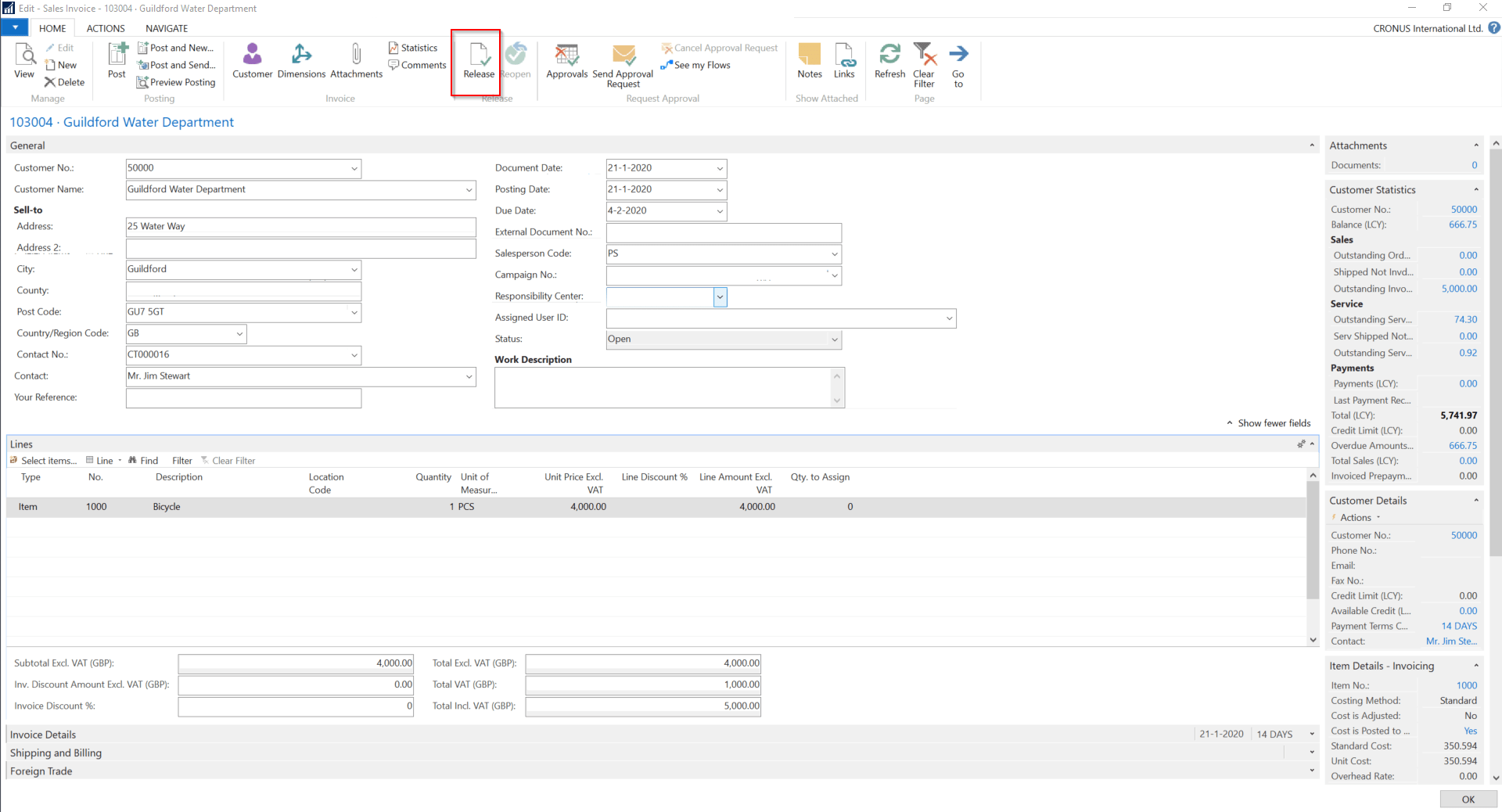
Consider that we already have a Page of type API, available to show the details of “Sales Invoice” (for reference, consider the Page: 5475 – Sales Invoice Entity). So now we wish to make the Action: Release available to call through the API request.
1. Open the API page, 5475, add a new function – Release under the API page:
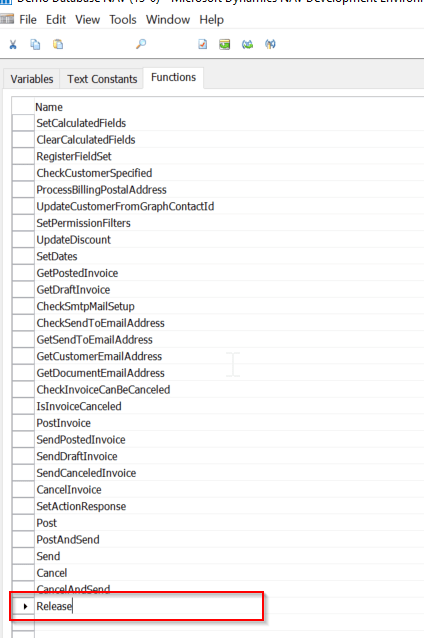
2. Change the default properties of the function to make it available for the API:
i. Set the Property: Local to No.
ii. FunctionVisibility to External.
iii. ServiceEnabled to Yes.
3. Add the below mentioned DotNet parameter to process the runtime action context:
| Var | Name | Data Type |
Subtype |
| Yes | ActionContext | DotNet | Microsoft.Dynamics.Nav.Runtime.WebServiceActionContext.’Microsoft.Dynamics.Nav.Ncl, Version=13.0.0.0, Culture=neutral, PublicKeyToken=31bf3856ad364e35′ |
4. Add the coding under the function, involved in performing the action:

5. Once all these are done, go to the Postman to process the API Requests.
For better reference and understanding, I’m documenting the process in a detailed stepwise manner.
Step – A. Create new API to GET the information of the Sales Invoice, you wish to Release.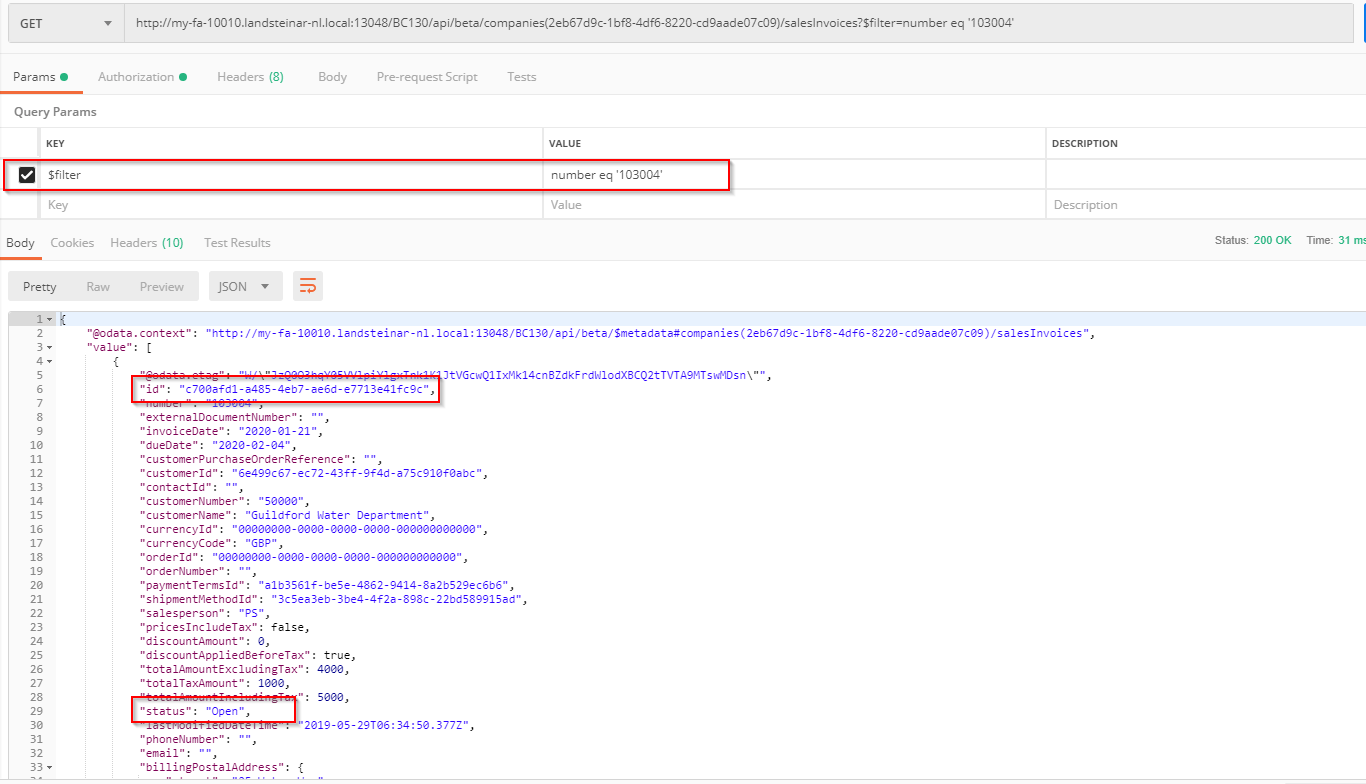
You may get a specific Sales Invoice Document by applying the filters as highlighted above.
Step – B. Copy the id Value from here as id is set as the ODataKeyFields for thresalesInvoices API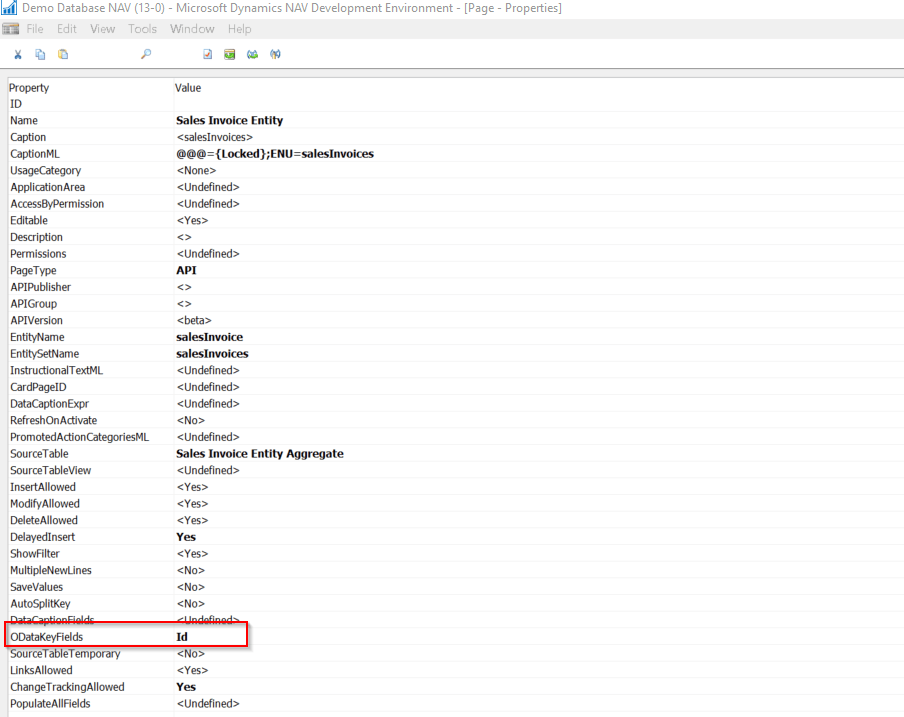
So, in order to call the particular record, you must pass the id field’s value as a parameter, in the API Request.
Step – C. Create a POST Action to perform the action, as below :
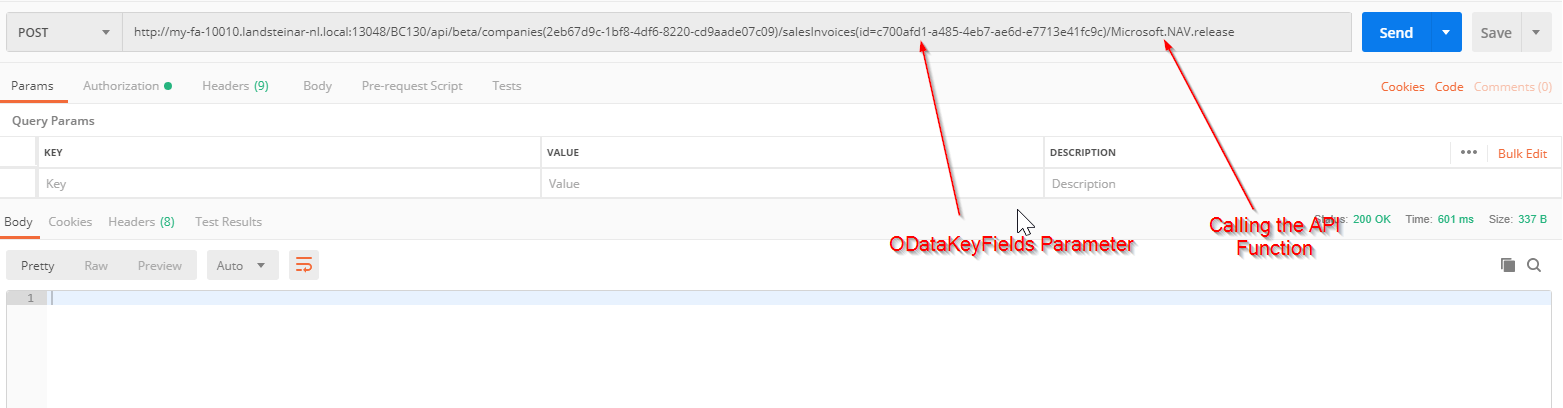
In order to call the API Function to use the syntax: Microsoft.NAV.<Function Name>
Normally, calling the API function will not return any response, so if the Status is 200 OK, then you understand that the Function got executed successfully.
Step – D. Go to the Sales Invoice and see if the Status of the Sales Invoice got changed or not.
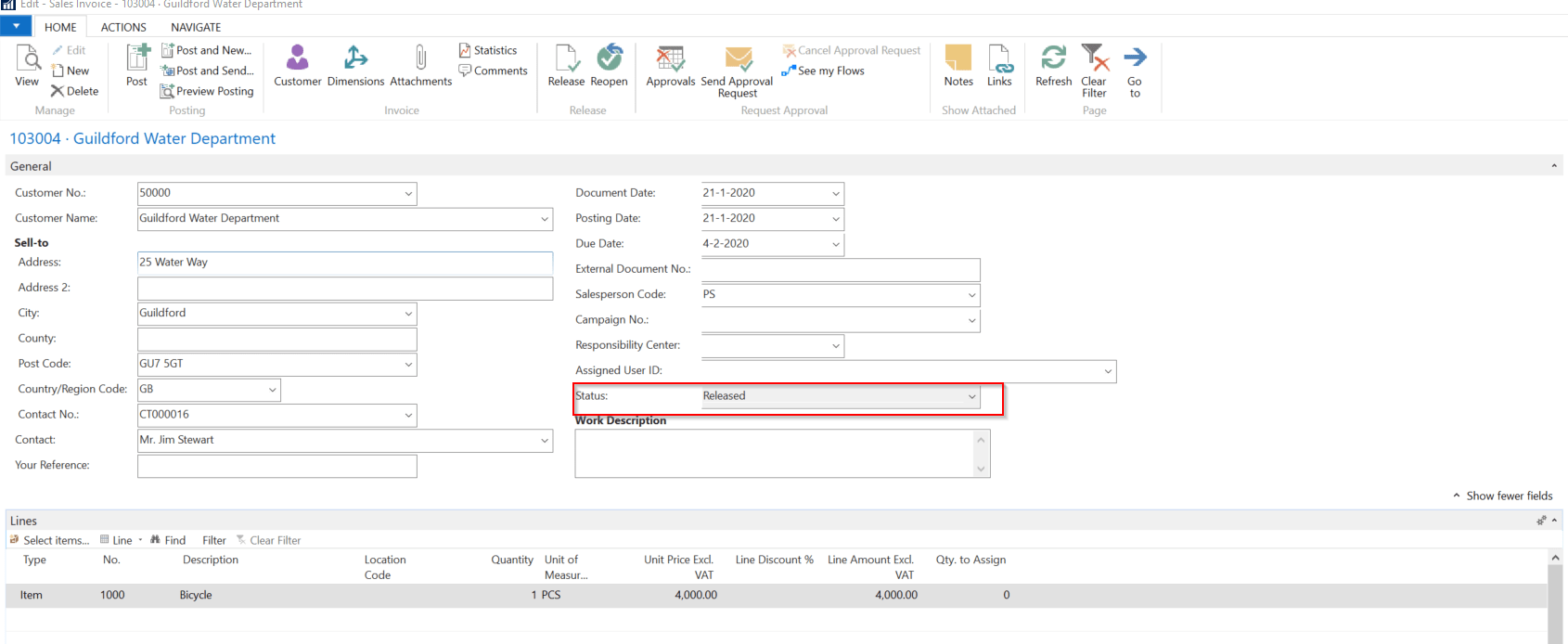
We can see that the Status got changed to Released.
I hope you found this blog useful and can use the information in your development. Thank you for your time. See you soon with a new blog.


 My Dynamics Stories
Leave a comment